
A tripod is not just for professionals. It unlocks night photos, sharp landscapes, smooth waterfalls, group selfies, and steady video.
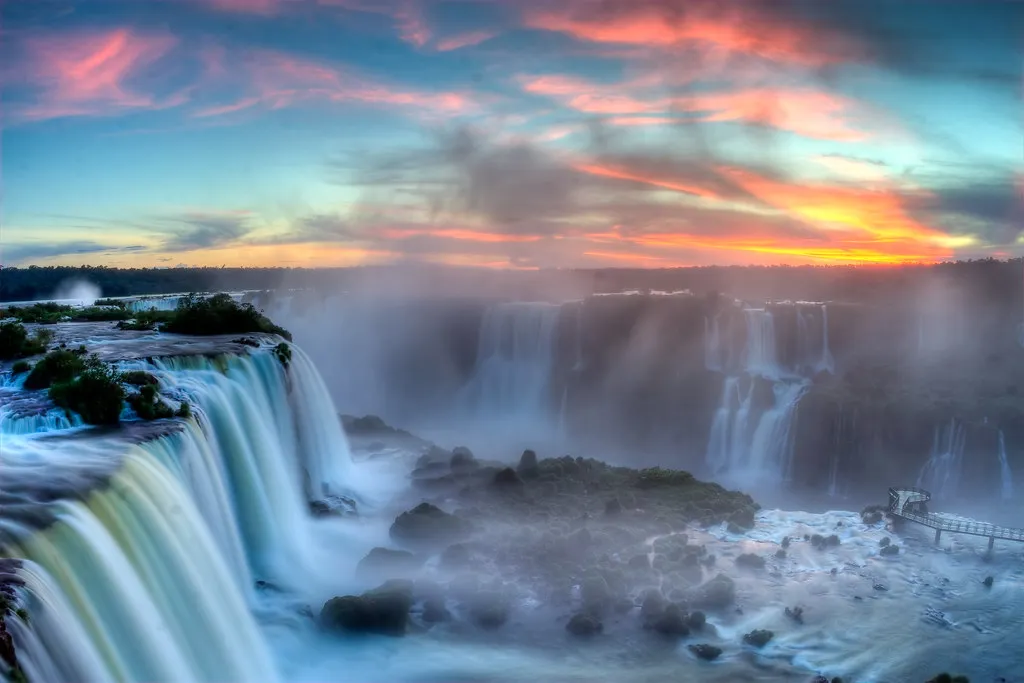
When to use a tripod
- Night cityscapes and starry skies
- Long exposures of water and clouds
- Landscapes at sunrise and sunset
- Group photos with a self-timer
- Product and food photos
- Time-lapses and steady video interviews
When to skip it
For action, travel in crowded places, or quick snaps, a tripod slows you down. Stabilized cameras and lenses reduce the need for handheld shots.
Choosing a travel tripod
Height: look for a height that puts the camera near eye level without raising the center column too far.
Weight and folded length: lighter tripods are easier to carry. Carbon fiber is lighter but costs more; aluminum is cheaper.
Load capacity: choose one rated well above your camera and lens weight.
Head type: ball heads are quick and compact; pan-tilt heads suit precise adjustments and video.
Set up for sharpness
- Extend the thickest leg sections first.
- Raise the center column only if needed.
- Hang your bag from the hook for stability in wind.
- Use a 2-second timer or remote to avoid shake.
- Turn off image stabilization if your manual recommends it on a tripod.
Long exposure basics
Use low ISO and a narrow aperture. For daytime long exposures, you will need an ND filter to cut light.
Alternatives
Mini tripods, clamps, and beanbags work in a pinch.
Etiquette
Some places ban tripods. Avoid blocking walkways.
See low-light photography tips.
Tripods for video
For video, a tripod with a fluid pan-tilt head allows smooth movements. Ball heads are harder to pan smoothly. If you plan to film interviews or tutorials, a tripod designed for video makes a big difference.
Phone compatibility
Many travel tripods come with phone clamps, or you can buy one separately. A tripod is just as useful for phone night photos and time-lapses as for dedicated cameras.
Care
Clean sand and salt off the legs after beach use, and dry the tripod before storing it. Check leg locks periodically and tighten screws as needed.
Tripod comparison
| Type | Weight | Best for | Trade-offs |
|---|---|---|---|
| Tabletop mini tripod | Very light | Phones, compacts, vlogging | Low height |
| Travel tripod | Light to moderate | Trips, hiking, night shots | Less stable in wind |
| Full-size tripod | Heavier | Landscapes, studio, long lenses | Bulky |
| Video tripod with fluid head | Heavier | Smooth pans and tilts | Larger, costlier |
Accessories that help
- Remote shutter or app: triggers the camera without touching it.
- L-bracket: lets you switch to vertical shots without flopping the ball head to the side.
- Spiked feet: grip on soft ground.
- ND filters: for daytime long exposures.
Mistakes to avoid
- Extending the center column first. It is the least stable part.
- Leaving stabilization on when the manual says otherwise. Some systems can introduce slight blur on a tripod.
- Not locking every leg fully. Check each lock before mounting the camera.
- Walking away from a tripod in wind. A gust can topple it.
FAQ
Do I need a tripod if my camera has stabilization?
Stabilization helps handheld shots at moderately slow speeds. For multi-second exposures, time-lapses, and precise framing, a tripod is still essential.
Carbon fiber or aluminum?
Carbon fiber is lighter and dampens vibration well but costs more. Aluminum is heavier and cheaper. For occasional use, aluminum is fine.
Tripod techniques for common shots
For landscapes at sunrise, set up before the light arrives, compose carefully, and use a low ISO with a remote. For night cityscapes, use a narrow aperture like f/8 to get star-shaped street lights. For silky water, use a slow shutter speed of a second or more, with an ND filter in daylight. For group photos, set the self-timer or interval mode to take several frames so at least one has everyone’s eyes open. For time-lapses, use your camera’s interval timer, lock exposure and white balance, and use a large card and a full battery.
Choosing height and stability
A tripod that brings the camera to eye level without the center column lets you compose comfortably. Taller photographers should check maximum height carefully. Look at the leg locks too: twist locks are compact and quick, while flip locks are easy to use with gloves.
Can I use a tripod with a phone?
Yes. A phone clamp lets any tripod with a standard screw hold your phone, which is great for night mode, group photos, and steady video. Use the phone’s self-timer or a Bluetooth remote to avoid shaking it when you start the shot.
How do I stop a tripod sinking in sand or snow?
Spread the legs wide, push them firmly in, and consider snow or sand feet that add surface area.